Content Search
Search inside PDFs, Word docs, plain text, source code, and logs. Built-in OCR reads text from images and scanned PDFs — find what you need even when it's not selectable text.
Regex, wildcards, Boolean operators, PDF search, and built-in OCR in a native macOS app — no indexing required, no cloud, no subscription.
macOS native · 3-day free trial · $4.99 one-time · Sandboxed & private
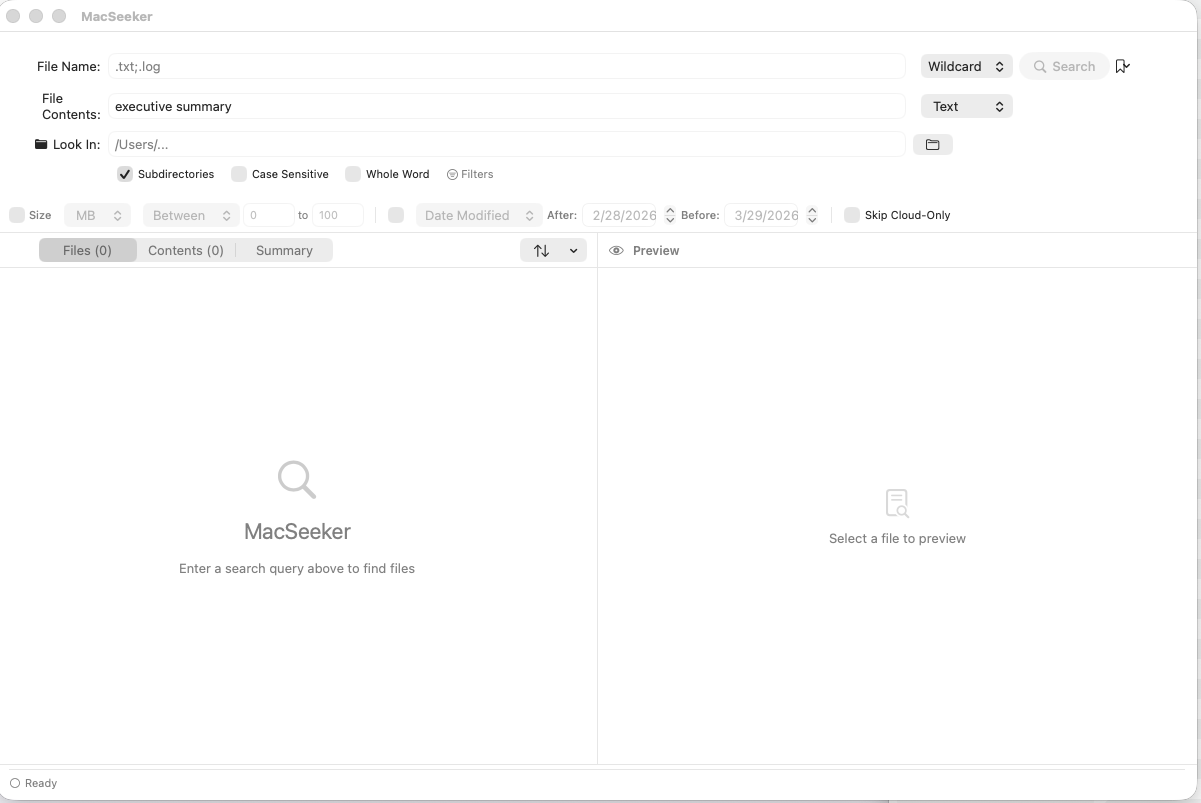
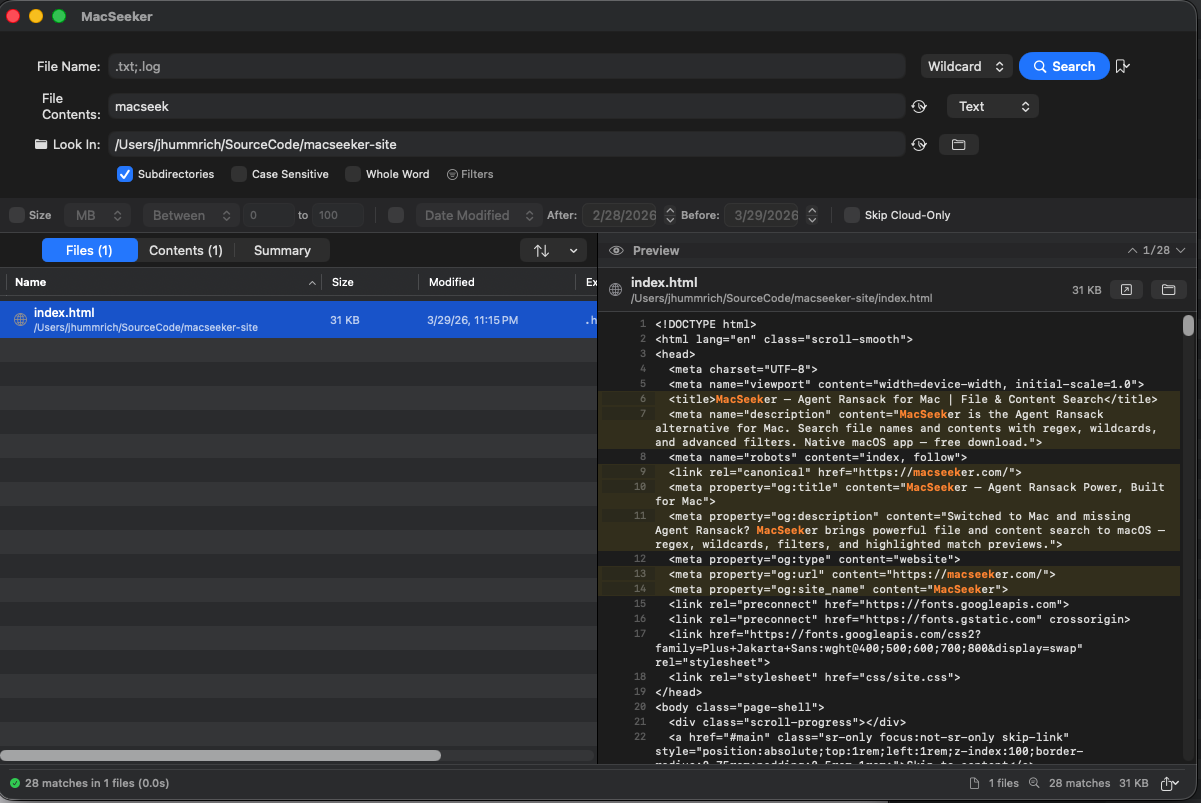

Search file names and contents simultaneously with regex, real-time results, highlighted match previews, and built-in OCR for scanned documents — no indexing required, no cloud dependency, no subscription.
Search inside PDFs, Word docs, plain text, source code, and logs. Built-in OCR reads text from images and scanned PDFs — find what you need even when it's not selectable text.
Full regular expression support for power users. Combine with wildcards and Boolean operators (AND, OR, NOT) for precise queries.
Filter by date modified, file size, file type, and folder path. Narrow millions of files down to exactly what you need.
Results appear as you type. No waiting for indexing to complete. Search local drives, network volumes, and cloud-synced folders.
Preview file contents inline without opening them. See matching text highlighted in context — perfect for scanning search results quickly.
Search inside PDFs — including scanned documents and embedded images. Built-in OCR extracts text from images so nothing is unsearchable.
File Ferret runs entirely on your Mac. No cloud uploads, no telemetry, no account required. Your files never leave your machine.
No configuration, no indexing setup. Open File Ferret and start finding files.
Pick a folder, a drive, or your whole Mac. Search local volumes, external drives, or cloud-synced folders like OneDrive and Dropbox.
Search by file name, file contents, or both. Use plain text, wildcards, or full regex. Add date, size, and type filters to narrow results.
Preview matches inline, open files in their default app, reveal in Finder, or copy the path. Export results to CSV for documentation.
If you relied on advanced file search tools on Windows, you know there's nothing like them built into macOS. File Ferret fills that gap — the same power-user workflow, native to the Mac.
File Ferret includes a 3-day free trial with every feature unlocked. After the trial, it's a one-time purchase of $4.99 — no subscription, no recurring charges.
File Ferret is coming soon on the Mac App Store. The release will go live as soon as Apple approves it.
File Ferret searches inside plain text files (.txt, .csv, .log, .json, .xml, source code), PDFs, Microsoft Office documents (.docx, .xlsx), and images. Built-in OCR reads text from scanned PDFs and image files (PNG, JPEG, TIFF) — so even non-selectable text is searchable.
No. File Ferret works entirely offline. It searches your local filesystem directly — no cloud services, no indexing servers, no account needed.
Yes. Any volume or folder mounted on your Mac is searchable — including SMB shares, external drives, and cloud-synced folders from OneDrive, Dropbox, or iCloud Drive.
File Ferret requires macOS 25 (Tahoe) or later and runs on Apple Silicon Macs.
Popular Windows file search tools like Agent Ransack® are Windows-only. File Ferret brings the same class of functionality to macOS natively — separate file name and content search fields, full regex and wildcard support, Boolean operators (AND, OR, NOT), advanced filters, and highlighted match previews. File Ferret is not affiliated with Mythicsoft or Agent Ransack.
Yes. File Ferret was built for power users who switched from Windows to Mac and needed the same caliber of file search. It offers separate filename and content search fields, full regex and wildcard support, Boolean operators (AND, OR, NOT), advanced filters by date, size, and type, and highlighted match previews — all native to macOS.
No. File Ferret searches your filesystem directly — no indexing setup, no waiting for an index to build. Open the app, choose a folder, and start searching immediately.
Yes. You can toggle case sensitivity for both filename and content searches.
Try every feature free for 3 days. Then just $4.99 — one-time, no subscription. No account required.
Requires macOS 25+ · Apple Silicon · No account required